


RitualClarity
-
Posts
3,978 -
Joined
-
Last visited
-
Days Won
283
5 Followers





Recent Profile Visitors
28,828 profile views




RitualClarity's Achievements






-

Bioware shut down, Next Mass Effect canceled
RitualClarity replied to Doublezero's topic in Gaming Discussions
Ah, this person? https://www.fandompulse.com/p/dragon-age-the-veilguard-lead-writer -
It appears that they have a sale on them again. FAllout 4 GAme of the year 9.99. Fallout NV for 4.99 (ultimate edition) Fallout 3 GOTY version 4.99. The previous Fallouts are 2.49 each. 75% off normal price. From GOG and no DRM. NO forced update. Can use the version you want. Freedom. I have been purchasing some of my old games that I have on Steam when on sale in GOG. Moving away from Steam. On a side note. Cyberpunk has an update and on sale on GOG as well. Pretty good sale considering it is a newer game.
-
Bioware shut down, Next Mass Effect canceled
RitualClarity replied to Doublezero's topic in Gaming Discussions
Which retard? However, of couse they would hire them to work on TES6. Just shows that that game likley will be shit as well. I have no hopes for anything decent coming from there. -
Bioware shut down, Next Mass Effect canceled
RitualClarity replied to Doublezero's topic in Gaming Discussions
If they continue to get rid of this woke bullshit I don't care what is next. -
I guess I am really active on my updates on my system. They (the distro) just updated the list for the flatpaks including the one that didn't update due to outdated requirements. It added the requirements and removed the ones no longer required. So that works. Just I was too FAST . Too Impatient. LOL.
-
Bioware shut down, Next Mass Effect canceled
RitualClarity replied to Doublezero's topic in Gaming Discussions
Good lord.. we really needed an other Sims game. (lol... not). -
Bioware shut down, Next Mass Effect canceled
RitualClarity replied to Doublezero's topic in Gaming Discussions
Ha, You know, you are probably right. I guess it shows how much I cared about Mass Effect after that flop and what Bioware was putting out even then. -
Tomorrow October 22nd 2026 is going to have a major update. A update that is substantial at least over the past year since the last one. It is supposed to be an update due to the new Edgerunners II coming out. New perks and such.
-
Speaking of Flatpaks. I ran into a strange issue. It had an error duing update (command line of course duh! ) It gave me a warning but I didn't know what was going on. Why a warning for a Flatpak? Well I am running it on a system that is using Flatpak along sides other sources. (not sure if this is the case for the OS that only use flatpak like Silverblue, Bazzite etc. Somethow I think that isnt' the case. ) Anyway. It appears that some of the most popular Flatpaks provided are outdated. They have a needed resource I believe version 24.08 and it is no longer supported. Needs to be updated. Well, it doesn't do it by itself. At least not on my OS (one of the resons that people still aren't going to be able to go fully into Linux. This is on MInt) Apparently my system image I used and versoin is old enough that this happens. Anyway a quick Google search away and I was given some commands to clean the flatpaks that are old and the old Flatpak components (apparently they will sit there happly wasting your space until removed) and force the supported flatpak to the newer versons. One flatpak is still outdated but I got 4 of them moved over. A command (yea commands) later and I was able to confirm that they are using the newer versoin of teh requirement. Time from noticing the problem to solution. 5 minutes. Most of that was searchng on Google. lol. So far this hasn't shown up on my immutable OS system. It seems to update everything as it goes. (it only uses flatpaks not a mixed enviroment)
-
The Video Game Music Appreciation Thread
RitualClarity replied to Doublezero's topic in Gaming Discussions
Can you believe it? I never played that game. Or any game of that series. Yep. Good music though. Maybe I might pick it up on GOG (if it is there and on a nice sale :D ) -
Bioware shut down, Next Mass Effect canceled
RitualClarity replied to Doublezero's topic in Gaming Discussions
Wasn't there a clame that they were shutting down any future Mass Effect game after that last shit show? I seem to recall them saying that back then. -
Gary Busey is the new crypt keeper. True story God dam... Even the pigs wanted nothing to do with that guy in the pink. It freaked them out.
-
BHUNP Wicked Nuns II: Transparent Hoods
RitualClarity commented on Doublezero's gallery image in NSFWmods.com Album
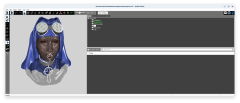 You may have a point
 -
I havent needed to use it to alter flatpaks however, there might be some adjustements you can do to work with folders you need. Might need to alter the locations of teh folders though. How they are layed out to get it to work right. Unfortunately that is the problem and drawback with flatpak systems. The great benifit is nothing can screw up other things and they update seperatly from the system and always (if updated correctly by the creator) stable.
-