


Doublezero
-
Posts
2,036 -
Joined
-
Last visited
-
Days Won
600
Content Type
Profiles
Articles
Events
Forums
Gallery
Downloads
Blogs
Everything posted by Doublezero
-
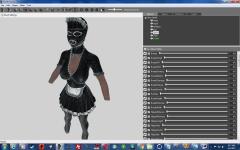 Another outfit base on stuff from rubberdoll.net. I enabled wired frame for this screenshot be the texture is solid black with no contrast.
 -
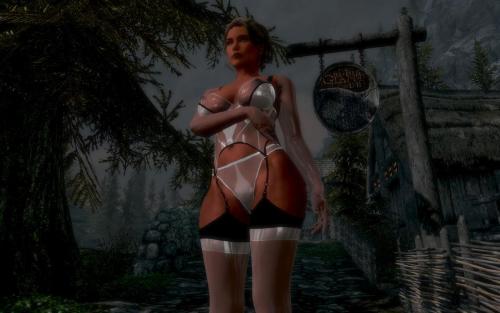 The toenails are probably dark because we use different body textures. Originally when I modeled the female feet I had the toenails separate from the feet but that gave me problems with the msn textures for some reason. If I still have the original nif I try it again without the normal maps and see how it works.
 -
 EA actually expected this game to sell 6 to 9 million copies.
- 37 replies
-
- 2
-

-
- mass effect
- ea
- (and 2 more)
-
https://www.thestreet.com/story/14114720/1/5-etfs-to-buy-if-you-love-ea-s-fourth-quarter-earnings.html This doesn't sound like official numbers though. I wonder how much EA was expecting to sell.
-
It's looking like project 'Dylan' will be Bioware's last chance to avoid the axe, if they last that long. After playing Mass Effect: Andromeda I no longer have any faith in Bioware's ability to make a decent game let alone one that's good enough to sell the amount copies EA demands. If EA does shut down Bioware they'll just have another studio make Mass Effect games anyway, and who knows, a new studio just might get it right.
-
View File UNPB, UUNP Transparent Lingerie A transparent outfit that's based on this image with heels that are based on these. How to obtain: With the console command "help Transparent Lingerie 0" or at a blacksmith Forge. How to install: Extract the contents of the zip file into the Skyrim data folder and use BodySlide to create the outfit for your body type. Requirements: HDT HighHeels System http://www.nexusmods.com/skyrim/mods/36213/? BodySlide 2.4+ Credits: GomaPero - for GomaPero Poses v8. Besthesda - The maker of Skyrim and the Creation Kit Ousnius and Caliente - For BodySlide and Outfit Studio. Permissions: You're free to use this mod your own project. No need to ask me for permission. Submitter Doublezero Submitted 05/15/2017 Category Clothing
-
Version 1.0.0
6,465 downloads
A transparent outfit that's based on this image with heels that are based on these. How to obtain: With the console command "help Transparent Lingerie 0" or at a blacksmith Forge. How to install: Extract the contents of the zip file into the Skyrim data folder and use BodySlide to create the outfit for your body type. Requirements: HDT HighHeels System http://www.nexusmods.com/skyrim/mods/36213/? BodySlide 2.4+ Credits: GomaPero - for GomaPero Poses v8. Besthesda - The maker of Skyrim and the Creation Kit Ousnius and Caliente - For BodySlide and Outfit Studio. Permissions: You're free to use this mod your own project. No need to ask me for permission.- 6 comments
-
- 14
-
-

-
nsfwmods.com Web Support Thread
Doublezero replied to RitualClarity's topic in Feedback & Support Forum
Yeah, the site is slower and the server load is still a little high even after downgrading to php 5. The big issue is that there is a bug in php 7.1 that causes high server loads in some server setups. I discussed this with IPS and they told me that the issue involved php 7.1 and html purifier and it will be fixed in IPS 4.2 which is currently in alpha. I disabled zend opcache and that solve the problem until the server auto updated WHM and server load skyrocket again which in turn forced me to downgrade php to 5. Unfortunately there's still some issues with server load even after I downgraded to php 5 which leads me to believe that the problem is a little deeper than what they told me. To be honest, I wish they would just fix the problem now instead of forcing their customers to wait until the next version is in a releasable state. -
IPS has officially dropped support for chat and it will no longer be available as it will not be compatible with future updates. Right now I'm looking for a suitable replacement and I'm currently leaning towards Discord. There's an integration plug available, but it costs 29.99 and is still in beta.
-
 It's coming.
 -
New features coming to NSFWmods.com agian
Doublezero replied to Doublezero's topic in News & Announcements
They're saying it will be out in mid-2017. -
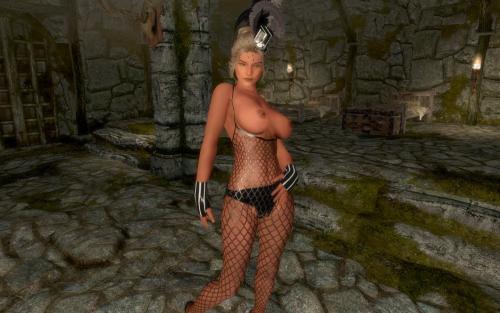
View File UNPB, UUNP HDT Ringmaster Outfit This mod contain two outfits worn by Holly Randall. One is from the scene "Ringmaster" on rubberdoll.net and the other is from the scene "The Ringmaster" on forevervamp.com. WARNING for small hard drive owners: The uncompressed bsa file is over 887 MB! How to obtain: As usual, you can obtain the clothing with the console command "help Ringmaster 0" or craft them at a blacksmith Forge. How to install: Extract the contents of the zip file into the Skyrim data folder and use BodySlide to create the outfit for your body type. Requirements: An UNPB Body re-placer and all of it's requirements. HDT HighHeels System http://www.nexusmods.com/skyrim/mods/36213/? BodySlide 2.4+ Credits: Halofarm - for Pinup Poser. GomaPero - for GomaPero Poses v8. Besthesda - The maker of Skyrim and the Creation Kit Ousnius and Caliente - For BodySlide and Outfit Studio. Permissions: You're free to use this mod your own project. No need to ask me for permission. Have fun! Youtube videos: Submitter Doublezero Submitted 05/01/2017 Category Clothing
-
Version 1.0.0
4,829 downloads
This mod contain two outfits worn by Holly Randall. One is from the scene "Ringmaster" on rubberdoll.net and the other is from the scene "The Ringmaster" on forevervamp.com. WARNING for small hard drive owners: The uncompressed bsa file is over 887 MB! How to obtain: As usual, you can obtain the clothing with the console command "help Ringmaster 0" or craft them at a blacksmith Forge. How to install: Extract the contents of the zip file into the Skyrim data folder and use BodySlide to create the outfit for your body type. Requirements: An UNPB Body re-placer and all of it's requirements. HDT HighHeels System http://www.nexusmods.com/skyrim/mods/36213/? BodySlide 2.4+ Credits: Halofarm - for Pinup Poser. GomaPero - for GomaPero Poses v8. Besthesda - The maker of Skyrim and the Creation Kit Ousnius and Caliente - For BodySlide and Outfit Studio. Permissions: You're free to use this mod your own project. No need to ask me for permission. Have fun! Youtube videos: -
 I was aiming to release this yesterday but ran into some problems. No big deal though; should be done with it some time today.
 -
New features coming to NSFWmods.com agian
Doublezero replied to Doublezero's topic in News & Announcements
All of the new features come free with the update. -
New features coming to NSFWmods.com agian
Doublezero replied to Doublezero's topic in News & Announcements
I find the new clubs feature very interesting. https://invisionpower.com/42preview/clubs/ -
New features coming to NSFWmods.com agian
Doublezero replied to Doublezero's topic in News & Announcements
IPS has launch a preview forum for 4.2. Lots of new features there that I haven't posted in this thread. https://invisionpower.com/42preview/ -
Thanks for pointing that out. PHP 7.1 and IPS has been like oil and water lately.
-
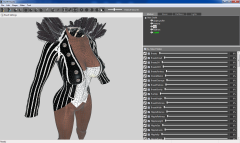 Just found another version. I'll make this on too. https://www.google.com/search?biw=1440&bih=763&tbm=isch&sa=1&q=rubberdoll.net+ringmaster&oq=rubberdoll.net+ringmaster&gs_l=img.3...7813.7813.0.8185.1.1.0.0.0.0.183.183.0j1.1.0....0...1c..64.img..0.0.0.CYZcVmiyqJ4
 -
Based on the outfit from rubberdoll.net.
-
For those who have been experiencing problems with the website (probably everybody), apparently the problem was caused by a bug with PHP 7.1. I had to disable a caching engine on the server to fix site stability. The site may download slightly slower but this will be temporary. I've discussed this with IPS and they told me they will have a fix ready in their next release.
-
 Problem solved.
 -
I haven't had a lot of time to work mods lately but I have been working on a few outfits off and on. Hopefully I'll have them done sometime next week.
-
nsfwmods.com Web Support Thread
Doublezero replied to RitualClarity's topic in Feedback & Support Forum
We do. I set the max to 800mb. -
nsfwmods.com Web Support Thread
Doublezero replied to RitualClarity's topic in Feedback & Support Forum
Over 100MB. But I was talking about files in general not just images.