


RitualClarity
-
Posts
3,987 -
Joined
-
Last visited
-
Days Won
283
Content Type
Profiles
Articles
Events
Forums
Gallery
Downloads
Blogs
Everything posted by RitualClarity
-
-
Yes, it is for recovery not daily driver. Have a full installation ready with all your tweaks and then use the program to copy it over to your computers drive if it needs it in the future. A bad update or something happens you can be up and running even faster than you would be normally. Everything can be set up to your liking from the theme to the desktop and software. I haven't done it with LInux but eons ago I did it for Mac 9.0 and it worked beautiful. Just clone it over.
-
I'd suggest using a fast 3.1 drive or better and install a perfect system. In your spare time. All the tools, scripts and settings you need. Minimum starting point of all the nice stuff you know you will need all the time. Then you can use resculezilla to clone it a system you want to use. Start the external drive every couple of months and make sure it is fully updated. Any new software you need that becomes your must have. (don't blow it out with random specific software as you can install it in seconds if you need it) The UUID (I believe) would have to be changed or you could have conflicts if you boot it into a system that has a cloned system. KDE patrition manager or other managers can change the UUID # so that LInux doesn't freek out. This is a case where I can't blame it for freaking out. Seeing double.
-
I had some issues with a program. Couldn't get it to work regardless of the commands I used. It ended up being a stuck update or an update that wasn't well updated yet in the distro. In any case. I now know a command that can be used to help free up a stuck update system. sudo apt update --fix-missing && sudo apt autoclean. (hopefully I typed it in correctly. If there is any issue, use google and it will correct and likely give you a copy paste option. UPDATE: used it and it worked (didn't give an error) and I show 100% updated.
-
I was annoyed by him especially when I had no interest in his quest line. Sometimes I played it because I was playing a theif etc. That quest line helps builid the character. I never got annoyed as as you two. lol. I also didn't care if the quesst was on the list. I had lots of them. I can see why it would be annoying. Some wants to keep their quest clean. My current game I want to keep things clean (not Skyrim a different game. ) However, that is some useful tips for future play. Thanks.
-
I can't say I ever had that displeasure. LOL
-
Didn't see that game before. I like the idea but not sure of the game. Nice concept using time. At first if I didn't see the videos on it I would have thought it was horrible. Time as a feature. Sounds bad. However, it seems like it works for this game. At face value there seems to be too much going on. Too many options. In any case, I rarely if ever, buy a game full price and usually wait until much later to buy it. After all the patches have been made. Improvements given, DLCs relased. Price much lower. Usually at a minimum half cost. One nice thing is I saw it on GOG which means I can get a download and actually own it. NO DRM.
-
 Very good work. I like the side by side comparison. Really shows your work off well.
 -

Okay, I think I've got it this time.
RitualClarity commented on Doublezero's gallery image in NSFWmods.com Album
 You know the famous saying, right?
 -
You can bet that interviewer will never interview him or anyone at that company again.
-
Great idea. I have picked up several Bethesda games already. It is nice that I don't have to deal with their BS updates that break the games for some of the most popular games. I have them in Steam as well. So I can use the most current along with the older versions. However, I find myself using GOG more often now a days.
-
I was looking for some choice games on GOG since there is a great sale. There are others beyond the RPGs. Sword and Spell, Action and such. Lots of sales going on. Don't know how they can afford to do this, but they are. Picked up a collection of Hit Man games for less than 6 dollars. Just saw some Tomb Raiders and not the super old ones (block version lol) 805 or more off. Lots of gamse I never even herd of as well. lol
-
Who's going to play Conan Exiles?
RitualClarity replied to asenasen's topic in Conan Exiles General Discussions
The great thing is you can see ideas and go, I like that and if you are willing to try you can create your own version of that mod. For yoruself. I played it along time ago. Not recently. No mods. I believe, If I remember correctly, it was on a private server. That is something that is nice about this game. You can create a private server and invite your friends to it. Set up the server, from what I know, in a way that fits what you and your friends want to do. Not sure, haven't checked or verified, but I believe you can put the mods on that server as well so that all can use it. I can be wrong but somewhere I heard that happened. -
If you are looking for a deal and have Amazon you can check montly for free games that they offer. These games come from different providers like GOG but also Microsoft, EA and others. Claim it and download the game. I got most of my Fallout collection and some of the older TES games that way with GOG. One thing to note, they don't seem to recognize it as a game you own when you filter it. They still offer the paid game. Otherwise so far it seems to be 100 % the same game.
-
He needs them to catch her in a lie. She states he groped her in x place at x time and there is a hidden camera and no such thing happened for example. Dates and time. One time he wasn't there she claimed he groped her. That type of thing. It helps to give over the demands that she gave before she called the cooperate. Text and other communications. Keep in mind that cooperate wants her to be a lyer and wants to dismiss her claimes as fast as possible. It is to their best interest. To anyone that thinks HR is your friend, you my friend are a fool. They are only concerned with the company. No matter how nice they seem.
-
Witcher 3 Remaster Coming Out September 29th, 2026
RitualClarity replied to AtomicGlitch's topic in Gaming Discussions
If you have Witcher 3 from GOG you can choose the version you want to play with. You can also download the specific version and install it anytime you want. (off line) No DRM. Even if they update it, if you have it there you have no problems. If not, it will suck a bit IMO. Wait until it is on a great sale and get it on GOG. You can keep the new one as they fix the issues, if it ican be fixed, looking at you Cyberpunk 2077. It was total trash when it was released and now is considered a decent game. -
-
You still have access to your account? If so who really cares. We all know how bad that site is regarding moderation.
-
I'a m already a relic of the past. And I am not going to change.
-
Well as slimy and horrible as it might be, you might have to reach out to the moderators and see what is going on. Some reason they audited and restricted your account. Could just be a glitch. Months ago I had to re-verify my account and change the passwords (maybe longer I don't remember when) and had to jump through hoops to get it back up and running. This was due to me not being on the site for some time. They wanted to make sure someone didnt' hijack the account I guess.
-
I lost my drink with the "Stright white dragon" lol
-
I checked my account and no issues there. I beleive it has to be something to do with you and your account.
-
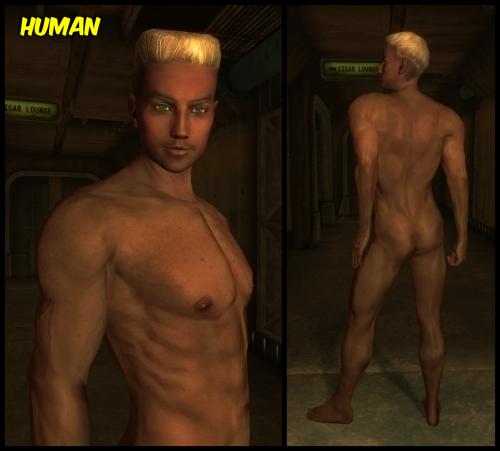 You have a conflict, it installed wrong or didn't follow the instructions. This mod works fine. It has worked for years.
 -
You are well skilled with Linux. A bit of work and you can have pretty much everything you want. Install Debian and then choose the desktop you want and the various features. It shouldn't take you any longer than it takes to install Windows and all the drivers and software lol Customize it completely. Choosing a headless version of Linux and then building it from semi scratch will get you everything you can want. It is advanced for an advanced user. I mention Debian since that is the base of all the distros you talk about. You can do the same thing with Arch or even Fedora. Slightly different commands and options for packages but you can do it.